
Zoho Desk Support Services
Zoho Desk Support Services | Reduce Resolution Times, Expert Configuration, Right Helpdesk Setup
From Zoho Desk implementation and custom workflow automation to agent productivity configuration and ongoing helpdesk management, Zazz manages your entire Zoho Desk environment so your business delivers consistent, measurable customer support without burdening your internal IT or operations team.
Get Expert Zoho Desk Support for Your Business Helpdesk
We only use your info to contact you about your IT needs.
















Our Zoho Desk Support Capabilities:
Zoho Desk Implementation and Setup
- Configure departments, roles, teams, and org settings
- Set up ticket channels like email, chat, phone, social, web forms
- Integrate Zoho Desk with CRM, Analytics, SalesIQ, and other tools
- Define fields, templates, permissions, and notifications
Ticketing Workflow Automation
- Set assignment, notification, escalation, and time-based rules
- Build workflows and blueprints for consistent ticket handling
- Enable round robin and load-balanced ticket distribution
- Define ticket lifecycle stages and closure criteria
SLA and Escalation Management
- Configure SLA policies by priority, channel, and customer tier
- Set escalation alerts for SLA breaches
- Define business hours, holidays, and schedules
- Track SLA performance with reports and analytics
Multi-Channel Support Setup
- Enable email, chat, telephony, social, and portal support
- Configure routing rules by channel and priority
- Build help center and knowledge base for self-service
- Embed support via ASAP plugin in your product
Zia AI and Automation
- Enable Zia features like sentiment, suggestions, tagging
- Train AI using past tickets and knowledge base
- Flag high-risk or frustrated customers automatically
- Auto-classify and route tickets using AI
Help Center and Knowledge Base
- Structure help center with categories and sections
- Track article performance and deflection rates
- Create internal knowledge base for agents
- Support multi-brand and multi-language content
Reporting and Analytics
- Set up dashboards for key support metrics
- Build custom reports and integrate with Zoho Analytics
- Schedule reports and alerts for stakeholders
- Collect and track CSAT data
Integrations and API Management
- Sync Zoho Desk with Zoho CRM
- Connect with ITSM, ERP, billing, and project tools
- Use webhooks for alerts in Slack, Teams, PagerDuty
- Build custom logic using APIs and Deluge scripting
Common Zoho Desk Challenges Businesses Face
- Zoho Desk implementation was rushed early on without proper planning, and we are now working to fix configuration issues that are impacting daily operations.
- Our Zoho Desk is not integrated with our CRM and agents have no customer context when handling tickets, leading to repetitive questions and poor customer experience.
- Zia AI is enabled, but without proper configuration and training, it is not contributing to our daily support workflows or improving agent efficiency.
- We need Zoho Desk integrated with our billing platform and internal ticketing system but do not have the Deluge scripting capability to build the custom functions.
- We have multiple departments using Zoho Desk inconsistently and there is no standardized workflow, SLA policy, or escalation path across the team.
- Our help center has been set up, but it is not actively maintained, and ticket volume has not decreased despite having a self-service portal in place.
- Our SLA policies are set up incorrectly and we are regularly breaching response targets we have contractually committed to with enterprise clients.
- We are generating reports in Zoho Desk but the data does not match what our managers need to make informed staffing and capacity decisions.
Zazz provides the Zoho Desk support services, implementation expertise, and ongoing management that transform a broken or underperforming helpdesk into a measurable operational asset.
Book a Free Consultation
Our Zoho Desk specialists will review your current helpdesk configuration, understand your team structure and channel mix, and explain exactly how Zazz can manage your Zoho Desk environment so your business delivers faster, more consistent support at every customer touchpoint.
How Zazz Optimizes Zoho Desk for Scalable Support:
Capability
Implementation
Workflow Automation
SLA Configuration
Zia AI Setup
Integrations
Reporting
Zazz
Structured setup with channels, SLAs, automation, integrations aligned to operations
Custom rules, blueprints, and escalations for efficient handling
Multi-tier SLAs with proactive escalation alerts
Fully configured AI with training, tagging, sentiment insights
Properly mapped integrations with synced data and full context
Custom dashboards, CSAT tracking, scheduled reports
Others
Basic setup with defaults, manual routing and gaps
Inconsistent automation causing conflicts and manual work
Single default SLA with missed commitments
AI unused or left at default with no impact
Partial integrations with data issues and duplication
Basic reports with limited insights
Implementation
Structured setup with channels, SLAs, automation, integrations aligned to operations
Basic setup with defaults, manual routing and gaps
Workflow Automation
Custom rules, blueprints, and escalations for efficient handling
Inconsistent automation causing conflicts and manual work
SLA Configuration
Multi-tier SLAs with proactive escalation alerts
Single default SLA with missed commitments
Zia AI Setup
Fully configured AI with training, tagging, sentiment insights
AI unused or left at default with no impact
Integrations
Properly mapped integrations with synced data and full context
Partial integrations with data issues and duplication
Reporting
Custom dashboards, CSAT tracking, scheduled reports
Basic reports with limited insights
Managing Your Helpdesk Environment With Proven Zoho Expertise
We manage your Zoho Desk using proven setup methods, automation best practices, and certified Zoho expertise to keep your support operations efficient and consistent.




A Proven Approach to Better Zoho Desk Performance
We take your Zoho Desk from setup to full optimization with a structured approach that improves performance, automation, and support quality.

Assess and Identify Gaps
We review your Zoho Desk setup, channels, automation, SLAs, and integrations to identify gaps and improvement areas.
Configure and Optimize
We implement the right setup including workflows, automation, SLAs, AI, integrations, and reporting tailored to your support needs.
Manage and Improve Continuously
We monitor performance, refine automation, update configurations, and support your team as your operations evolve.
Rated by Clients Recognized by Leading Platforms
Our client reviews reflect real results, consistent performance, and a proven approach to managing Zoho Desk environments effectively.



What You Get with Expert Our Zoho Desk Management:
Multi-Team Ready
Support multiple departments and brands in one system without added complexity.
End-to-End Support
We manage your entire Zoho Desk lifecycle from setup to continuous optimization so your helpdesk delivers real results.
Built for Your Workflow
Your Zoho Desk is designed around your teams, SLAs, and channels so it fits how you actually operate.
Advanced Technical Expertise
We handle complex automation, AI, and integrations that go beyond standard setup.
Success Stories



Managed IT Support Services: Structured, Reliable, and Built for Operational Continuity
A 12-month managed IT support renewal delivering predictable capacity, structured governance, and dependable infrastructure coverage across remote and on-site environments.
Powering Simply Signs With a Next-Generation, Cross-Platform Architecture for Real Estate Logistics
Explore how Zazz engineered, a complete real estate signage platform featuring mobile app, automated workflows, real-time coordination, and efficient job management for Simply Signs.
Bringing Real-Time Visibility and Operational Order to Property Turnover Management
A centralised property operations platform that eliminates manual coordination and gives property managers full visibility into every service, vendor, and turnover workflow in real time.


Turning Complex Real Estate Workflows into Seamless Mobile Experiences
Zazz partnered with New Western to reimagine their digital product-from fragmented web flows to a mobile-first experience backed by full-stack support.


Digitizing Compliance for Canada’s Beef Supply Chain
A national platform that modernizes record keeping, verification and certification workflows for producers, auditors and program administrators.


Transforming Digital Nutrition Experiences in the Kingdom of Saudi Arabia
Evolving a comprehensive wellness platform through seamless design, intuitive UX, and robust multilingual support.


Sustaining Mission-Critical Operations Through Application Modernisation and Continuous Engineering Support
UgMO Technologies: Mobile Application Upgrade and Ongoing Maintenance Engagement


Designing a Patient-Facing Digital Experience That Makes Healthcare Access Simpler
From first click to confirmed appointment, we gave Loma Solutions a digital experience as reliable as the care they deliver.


Equipe Nutrition's Journey to Agile Excellence and Scalable Digital Engagement
End-to-End Software Innovation, Integrated Team Delivery, and Sustainable Growth for a Leading Health and Wellness Platform


Empowering Torstar Corporation With Specialized Talent To Accelerate Delivery
Empowering Torstar Corporation’s in-house team with specialized mobile talent to accelerate delivery without the overhead of full-time hiring.


Transforming Las Vegas’ Largest Taxi Fleet into a Digital Powerhouse
Partnered to modernize core systems, optimize fleet operations, and build a scalable mobility ecosystem—enabling real-time dispatch, predictive maintenance, and improved rider experience across channels.


Empowering Next-Generation Security- Deep Sentinel’s Path to Agile Frontend Excellence
Strategic Staff Augmentation, Cross-Functional Delivery, and Sustained Engineering Impact for an Innovative Security Technology Leader


AI Riyadh Transforming Executive Administration
End-to-End Product Discovery, User-Centric Web Development, and Seamless Deployment for the Office of His Highness Secretary, Riyadh


Reinventing Car Rental Operations - Theeb’s Journey from Legacy Systems
Comprehensive Dev Audit, Strategic Feature Enhancement, and Sustained Platform Excellence for a Leading Car Rental Provider


Scaling Application Development Through Dedicated Resources for KCTS9
To meet growing mobile demand, Cascade PBS partnered with Zazz for rapid app development via staff augmentation—ensuring speed, consistency, and flexibility.


Modernising a Precision Ballistic Software Ecosystem Through Dedicated Long-Term Engineering Support
A long-term embedded engineering partnership keeping Horus Vision's ballistic software ecosystem reliable, accurate, and ready for what comes next.


Building a National Digital Ecosystem for Aviation Workforce Development Across Canada
Where the next generation of aviators finds its runway.

Bringing Goalie Coaching Online: Building From The Crease Into a Unified Web and Mobile Training Platform
Learn how Zazz designed and engineered From The Crease end to end, delivering a cross-platform sports tech foundation built for long-term growth.


Internal Operations and Workflow Management Platform
Accelerating Healthcare Technology Operations Through Dedicated Staff Augmentation

Powering Saudi Arabia’s Largest Entertainment Season
A mission-critical mobile platform engineered to support national-scale events, peak traffic loads and seamless visitor experiences.


Powering Digital Collectibles—DCT’s Transformation of Community with Scalable, Intelligent Mobile Technology
End-to-End Application Innovation, Embedded Agile Delivery, and Advanced Visual Intelligence for a Leading Hot Wheels Collector Platform
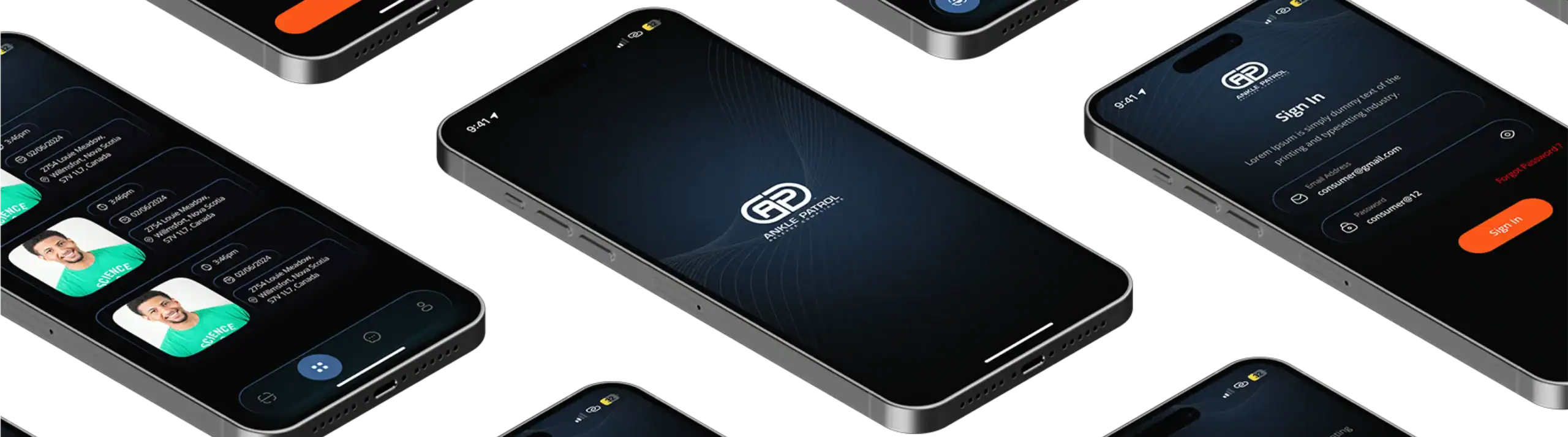
From Manual Compliance to a Secure, Scalable Mobile Platform
Designed, built, and maintained end-to-end, Ankle Patrol is a secure mobile platform that modernised compliance tracking and supervision workflows for the public safety sector.


Bringing Smart Wellness to Life with Ideal Protein
Zazz partnered with Ideal Protein Canada to evolve their health and diet app into a smart, connected ecosystem - integrating wearables, IoT devices, and personalized nutrition support.


Digitizing Wildlife Surveillance for National Resilience
We modernized CWHC’s legacy systems with a secure, cloud-native application that enables real-time incident reporting, integrated lab workflows, and national data sharing — strengthening Canada’s response to wildlife health threats.


Building Scoutek's Mobile Surveillance App to Simplify Camera Management and Enable Real-Time Field Monitoring
Learn how Zazz engineered Scoutek's React Native mobile app to modernize surveillance operations with a clean UI and real-time camera management.

Driving Local Retail Growth with a High-Performing Mobile App for ViewGem
How Zazz built ViewGem’s mobile app to boost user retention, drive foot traffic, and help retailers promote local offers through a seamless digital platform.


Pioneering Canada’s EV Adoption- EV Everywhere’s Leap to an Integrated, Agile Mobile Platform
Agile Frontend Delivery, Seamless Cross-Team Collaboration, and Mobile Innovation for Electric Mobility Advancement
Building TaxVolt’s High-Performance Mobile App for Seamless Tax Filing
Zazz designed and developed a secure, user-friendly mobile app that brought TaxVolt’s vision of simple, real-time tax filing to life. Our team delivered an end-to-end solution that streamlined workflows, reduced errors, and gave users a faster, more intuitive filing experience.

Designing Panbit Into a Mobile Habit Platform Built on Commitment Psychology and Social Accountability
See how Zazz built Panbit, a psychology-driven habit-building platform powered by commitment locks, reinforcement systems, and real social accountability.


Empowering Future Talent in Trades and Technology
Commissioned by the Government of Ontario, this platform fosters next-generation technical talent. We engineered a scalable system to promote skills development and connect youth to rewarding career pathways across trades and emerging technologies.


Redefining Digital Commerce for a Market-Leading Beverage Brand
Mai Dubai Water: Building a Scalable Digital Foundation for a Market-Leading Beverage Brand


Interactive Learning Through Digital Experience
To amplify education and conservation goals, we engineered a dynamic ecosystem for Seattle Aquarium. The system powers digital kiosks, touchscreen exhibits, a robust ticket booking engine, and mobile integrations that inspire millions of visitors annually.


Empowering Financial Wellness for Canadian Citizens with Budget Butterfly
Teamed together to design and launch a smart, user-centric platform that helps newcomers and residents take control of their finances with confidence.


Flex Metrics Journey to Enhanced Analytics and Agile Product Delivery
Staff Augmentation Excellence, Embedded Analytics Leadership, and Scalable Agile Delivery for a Manufacturing Intelligence Innovator


Building BuddhaWord Into a Modern Guided Meditation Platform Rooted in the Authentic Teachings of the Buddha
See how Zazz built BuddhaWord, a guided meditation platform bringing authentic Buddhist teachings to modern mobile users through seamless audio experiences and subscription access.


Building a Social Platform Where Engagement Makes You Better, Not Worse
A gamified mental wellness platform that makes healthy habits as compelling as the social media it is designed to replace.
Empowering Minds, One Day at a Time.
Zazz built a high-performance motivational audio platform for Mindset, driving global scale, strong retention, and over one million downloads.


Modernizing Camfil's Digital Presence to Match Its Position as a Global Clean Air Leader
Discover how Zazz partnered with Camfil to restructure a complex, multi-audience website into a clearer, more usable digital experience for industrial buyers.
Articles
Explore All Articles and Reports


Unlocking the Full Value of Zoho Desk:
Scalable Multi-Department Setup
We structure your Zoho Desk environment to support multiple teams, products, and regions with clear separation and no overlap.
Deep Zoho Ecosystem Integration
We connect Zoho Desk with CRM, Analytics, and other tools so your agents always have full customer context in one place.
Self-Service That Reduces Load
We build your Help Center and knowledge base to deflect common queries and reduce ticket volume.
Reporting That Drives Decisions
We set up dashboards and reports that give clear visibility into performance, SLAs, and team efficiency.
Proven Zoho Desk Results That Improve Support Outcomes
Talk to a Zoho Desk Support ExpertFirst response time across managed Zoho Desk environments
Reduction in ticket resolution time after optimization
SLA compliance rate maintained across all support tiers
How We Deliver Value in Our Clients’ Words
Frequently Asked Questions
Yes, this is a common situation. Many businesses set up Zoho Desk without proper implementation and face issues with automation, SLAs, and integrations. We audit your setup, fix gaps, and optimize your helpdesk without a full rebuild unless necessary.
We can typically begin with an initial assessment within a few days. From there, we quickly define the scope and start implementing improvements based on your priorities, ensuring minimal delay in optimizing your Zoho Desk environment.
Zoho as a vendor provides platform-level technical support for product bugs, account issues, and feature questions through their standard support channels. Zazz manages your entire Zoho Desk implementation and helpdesk operation as a managed services partner, including configuration design, automation engineering, integration management, performance optimization, and ongoing strategic guidance.
Yes. We configure custom reports and Zoho Analytics dashboards covering SLA compliance, first response time trends, resolution time by department and agent, CSAT score tracking, ticket volume by channel and category, and backlog aging. These reports are scheduled for automated delivery and designed for the specific decisions your support managers, operations directors, and executives need to make rather than being generic activity summaries that do not connect to business outcomes.
Yes. We configure Zoho Desk integrations with Zoho CRM and a broad range of third-party platforms including Salesforce, HubSpot, Microsoft Dynamics, Slack, Microsoft Teams, billing systems, telephony platforms, and ITSM tools.
When your team experiences Zoho Desk issues such as automation failures, integration problems, SLA misconfiguration, reporting questions, or agent-facing platform errors, they can contact our Zoho Desk support team directly. We provide responsive specialist access so issues are resolved quickly without your team waiting in Zoho’s vendor support queue or spending time searching documentation for platform-specific answers. We also proactively notify you of Zoho Desk updates and new features that are relevant to your configuration before they are pushed to your environment.
Our managed Zoho Desk services cover the full helpdesk lifecycle. This includes initial Zoho Desk implementation and department configuration, channel setup and routing logic, SLA policy design and escalation rules, workflow automation and Blueprint configuration, Zia AI activation and training, Help Center build-out, CRM and third-party integrations, reporting dashboard setup, CSAT survey configuration, and ongoing Zoho Desk support for your team.
For most businesses, a structured Zoho Desk implementation covering department setup, channel configuration, SLA policies, automation rules, integrations, and reporting is completed within three to six weeks. The timeline depends on your support operation complexity, the number of integrations required, and whether an existing environment needs remediation before the new configuration can be applied. We follow a staged approach that prioritizes the configuration elements your team needs operational first.
Yes. Zia configuration is one of our core Zoho Desk services and one of the highest-impact improvements we deliver. We activate Zia’s full feature set including sentiment analysis, response suggestion training, tag prediction, and anomaly detection, then train the response model using your resolved ticket history, knowledge base articles, and approved reply templates. The result is an AI assistant that gives agents accurate, contextually relevant guidance that directly reduces first response and resolution times for your most common ticket types.
Yes. We manage Zoho Desk migrations from platforms including Zendesk, Freshdesk, ServiceNow, Jira Service Management, and other helpdesk systems. This includes ticket history migration, contact and account data import, knowledge base content transfer, workflow recreation in Zoho Desk’s automation framework, and agent training so your team is productive in the new environment from day one. We plan the migration to minimize disruption to ongoing support operations during the transition period.
Yes, Zazz provides a wide range of IT support and managed services beyond Zoho Desk. We support platforms such as Datto support services and Google Workspace Admin, along with Cynomi Support, Acronis, Microsoft Intune, and other business-critical systems.
The Right Zoho Desk Support Partner for Your Business
Zazz provides structured Zoho Desk support that aligns your helpdesk with enterprise-grade service standards, enabling consistent customer experiences and long-term growth.
Start Your Zoho Desk Support Consultation
Request a Consultation
Complete the form to speak with a Zoho Desk expert about implementation, workflow automation, SLA configuration, Zia AI setup, platform migration, or ongoing managed support for your customer service operation.
Contact now

Zoho Desk Support Services Designed for Growth and Retention
We configure, automate, and manage your desk to improve response times, SLAs, and customer experience.